
Camy — Live Video CCTV
Prometheus Interactive LLCHouse & Home
4.6774.00 Reviews
- Version
- 6.1.3
- Installs
- 1.00M
- Age Rating
- Everyone
Screenshots
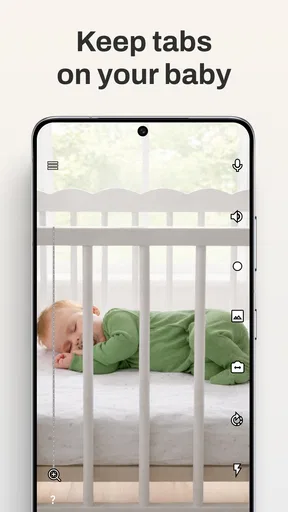
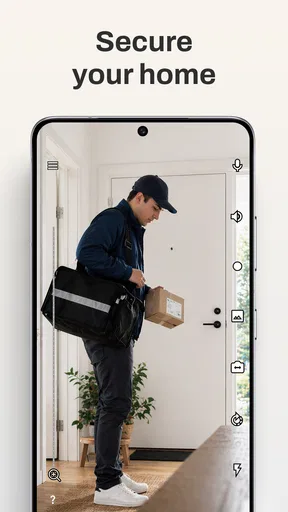
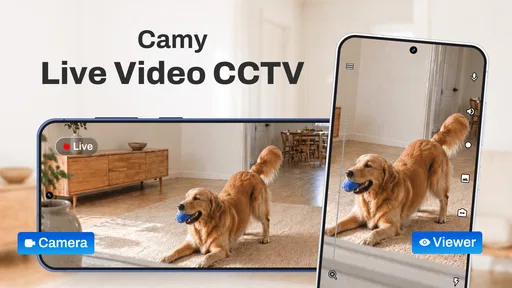
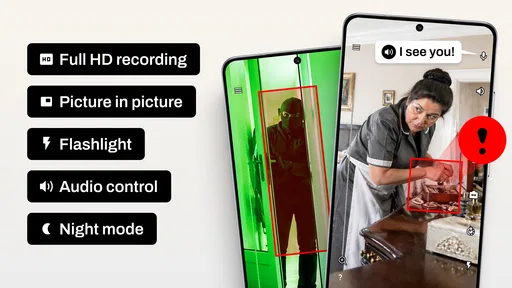
Our Review of Camy — Live Video CCTV
 Analysis by Appyee
I find the most useful way to think about Camy — Live Video CCTV is as a way to repurpose phones you already have, rather than as a replacement for a purpose-built home security system. Its central idea is simple: one phone can show a live view while another lets you check in. That can be a practical fit for a short errand, a pet that needs occasional supervision, or a room you want to keep an eye on while you are elsewhere.
Because the experience depends on a live connection, the quality of your network matters as much as the phone you use. A setup that works smoothly at home may feel less dependable when the camera phone is on weak Wi-Fi or the viewing phone has a patchy mobile signal. I would treat it as a convenient extra set of eyes, not as the only safeguard for a situation where a missed alert or interrupted picture could have serious consequences.
Where a phone-based camera makes sense
The strongest use case is temporary monitoring with equipment you already own. For instance, you might leave an older phone in a living room while you work in another part of the house, then check the view when your pet starts making noise. That avoids buying a separate camera for a job you only need to do occasionally. It is also easy to move the setup when your needs change, rather than committing to a fixed camera location.
That flexibility comes with a practical compromise: the camera phone has to stay positioned, powered and connected. Before relying on it, I would choose a stable surface, frame the area that matters, and make sure the device is not likely to be picked up or knocked over. A wide room view may be less useful than a careful angle on a doorway, pet bed or crib area. A quick test from the viewing phone can reveal blind spots before you leave.
This approach is less suitable for continuous, long-term coverage of a home. A dedicated security camera is usually the better choice if you need a permanent mount, a setup designed to stay in place, or a broader security system with equipment made specifically for that role. A phone-based arrangement is most appealing when convenience and reuse matter more than a fixed installation.
Connectivity is part of the setup, not a background detail
For a live view, both ends of the arrangement need a working route to the internet. The camera phone’s connection affects what it can send, while the viewer’s connection affects how easily you can watch. If the image stalls or takes time to appear, I would check both devices before assuming the app itself is at fault. Moving closer to a reliable Wi-Fi signal or switching the viewer to a steadier connection can make a noticeable difference.
There is a useful distinction between seeing a live image and having dependable monitoring. A live stream lets you look in when you choose, but it does not by itself guarantee that you will notice every event. If you plan to use motion alerts, test them while you are nearby and learn how your chosen placement behaves. A curtain moving in a draft, passing headlights or ordinary household activity may create movement that is not important to you, while an awkward camera angle may miss something you meant to watch.
I would also make a small routine of checking the camera phone before leaving: confirm it is awake, connected and still aimed where you expect. This is a simple but often overlooked trade-off of turning a spare phone into a camera. With a fixed camera, you tend to think of it as installed equipment; with a phone, a low battery, accidental screen tap or changed position can quietly undermine the setup.
Mobile use and the limits of a quick check
The viewer phone makes the arrangement handy when you are away from the camera, but checking video on mobile data is different from glancing at a text alert. A moving live picture can use more data than a brief notification, so I would save longer viewing sessions for a trusted Wi-Fi connection when that is practical. If you only need to see whether the room is calm, a short check is more sensible than leaving the stream open in the background.
There is also a human factor: a phone is easy to carry, but it is easy to silence, put away or run low on charge. If you are relying on alerts during a particular period, keep the viewer device somewhere you will notice it and check that its notification settings suit your routine. That does not make the system more sophisticated; it simply makes the parts you control less likely to let you down.
For a household with several people, decide who should be checking the feed and when. Sharing responsibility casually can lead to everyone assuming somebody else is watching. A simple agreement—one person checks during a walk, another takes over later—can be more useful than repeatedly opening the app without a plan. For sensitive spaces, think carefully about where a camera phone is placed and who can access the viewing device.
What to expect if the stream falters
A dropped connection is the main weakness to plan around. If the picture freezes, I would first check whether the camera phone still has internet access, then check the viewer’s connection and reopen the live view. If the problem continues, reconnecting the camera phone to a stronger network or repositioning it may help. These are ordinary troubleshooting steps, not a guarantee that every interruption will resolve immediately.
That uncertainty matters most when monitoring someone who needs active care. A phone stream can help you check in, but it should not replace direct supervision, a reliable communication arrangement or equipment intended for critical monitoring. The same caution applies to home security: if you need dependable recording and coverage while you are away for long periods, compare dedicated systems rather than assuming a spare phone offers the same level of assurance.
Before using the setup for a real errand, try it while you are still at home. Walk to another room, then outside if appropriate, and see whether the view remains usable from the places you expect to check it. This small rehearsal helps you distinguish a camera-placement issue from a network issue, and it gives you a realistic sense of how quickly you can reconnect if the stream stops.
Choosing between a spare phone and a dedicated camera
Compared with buying a standalone indoor camera, this app’s appeal is that the camera can be a phone already sitting in a drawer. That keeps the initial setup approachable and avoids adding another piece of hardware. It is particularly attractive for temporary jobs: watching a pet in one room during a visit, checking whether a delivery has been brought inside, or keeping an eye on a space while you are working nearby.
A dedicated camera is generally a better fit when you want a permanent position, less dependence on a spare phone’s battery, or a system intended to cover a home over time. A conventional video call can work for a one-off check-in with a person, but it is not the same as arranging one device as a camera and another as a viewer for ongoing observation. The right choice depends on whether you value reusing a phone or having purpose-built equipment that can stay installed.
There is a cost question beyond the app itself, too. Camy is free to install, but it includes in-app purchases, with items ranging from $0.99 to $99.99. I would explore the basic workflow first and only consider a purchase if a feature you actually need makes the expense worthwhile. The presence of optional purchases does not mean every user needs to spend money to try the idea, but it is sensible to review what is offered before committing.
A practical look at daily use
As a House & Home app from Prometheus Interactive LLC, Camy is aimed at a familiar household problem: checking a place when you are not standing in it. It has a 4.6 average from around 23,000 ratings, and it has been installed over a million times. It is free, rated for Everyone, and its current version is 5.2.8, with Android 6.0 as the minimum operating system.
Those figures suggest broad interest, but they do not tell me whether it suits every home. I would recommend trying it if you have a spare phone, a clear short-term use, and a network you trust in the rooms involved. I would skip it if you need a system that keeps working without regular attention, or if the camera must be treated as a critical safety device.
One realistic routine is to set the old phone near a pet’s usual resting place before leaving for a quick grocery run. I would connect it to power, check the framing from the viewer, and make one brief test away from the room. Once out, I would open the feed only when needed rather than keeping video running continuously. If the connection drops, I would not assume the room is still being monitored; I would try to restore the view or use another way to check in.
Setting Up: A Piece of Cake
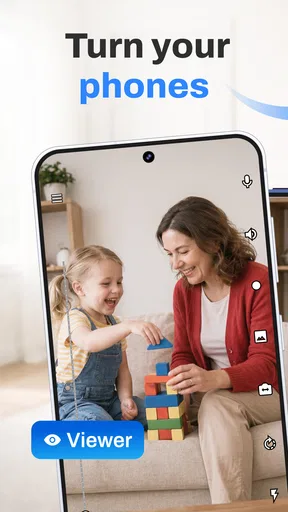
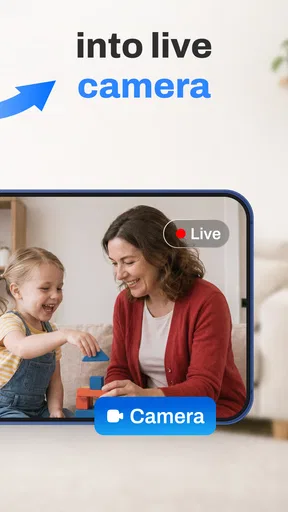
Diving right into the setup, I was pleasantly surprised by how intuitive it was. The app greets you with a clean interface that guides you through the process. All you need is a couple of devices—one to act as the camera and another to view the feed. In my case, I used an old phone as the camera and my current one as the viewer. It was as simple as pie.
Once you’ve installed the app on both devices, you just scan a QR code to link them. Bam! You’re connected. No fuss, no muss. This seamless connection process is a game changer, especially if you’re not tech-savvy.
User Interface: Straightforward and Friendly
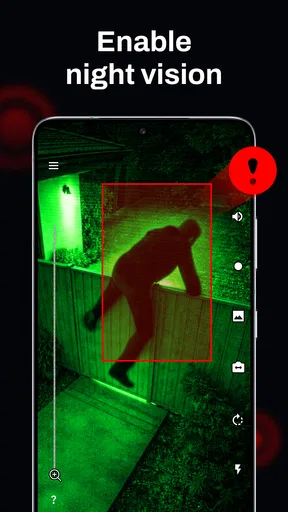
The user interface is another big win for Camy — Live Video CCTV. It’s not cluttered with unnecessary buttons and options, making it super easy to navigate. The live feed is clear and doesn’t lag, as long as you’ve got a decent internet connection. You can toggle between different views, zoom in and out, and even switch to night mode with just a tap.
The app also allows for some customization. You can set motion detection alerts, which are a nifty feature if you’re keeping an eye on your pets or want to be alerted to any unexpected movement. The notifications pop up instantly, so you’re always in the loop.
Features That Stand Out
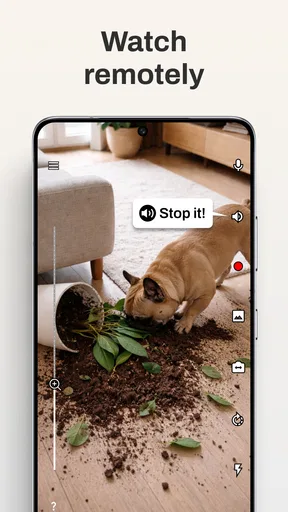
Let’s talk about some of the features that make this app stand out. First off, the two-way audio is a fantastic addition. If you spot your pup chewing on your favorite shoes, you can give them a stern talking to right through the app. It’s also great for checking in with kids or elderly family members.
Another feature I found super useful is the ability to record the live feed. Whether it’s capturing a funny moment or saving evidence of an incident, this feature adds an extra layer of functionality and peace of mind.
Performance: Reliable and Consistent
In terms of performance, the app held up well. The video quality is crisp, and there’s minimal delay in the live feed. I tested it over both Wi-Fi and mobile data, and it performed consistently across both. The app doesn’t seem to hog battery life either, which is a huge plus if you’re planning to use it for extended periods.
Privacy and Security: Keeping Your Data Safe
When it comes to security, Camy doesn’t skimp. The app uses end-to-end encryption, ensuring that your video feed is secure and private. This is crucial for anyone concerned about privacy, especially in today’s digital age.
Additionally, you can set up a secure password and use biometric authentication for accessing the app, adding another layer of security to your setup. It’s little touches like these that make a big difference in user trust.
Final Thoughts: A Must-Have for Peace of Mind
All in all, Camy — Live Video CCTV is a solid choice for anyone looking to keep a watchful eye on their home or loved ones. Its ease of use, reliable performance, and robust security features make it a standout in the crowded field of video surveillance apps.
If you’re on the hunt for a simple yet effective CCTV solution, give Camy a shot. It’s a handy tool that brings peace of mind right to your fingertips. And the best part? You can start using it with devices you already own. It doesn’t get much better than that!
Privacy and Permissions
See what permissions an app requests and how it handles your data.
- Phone
- read phone status and identity
- Photos/Media/Files
- read the contents of your USB storage, modify or delete the contents of your USB storage
- Storage
- read the contents of your USB storage, modify or delete the contents of your USB storage
- Camera
- take pictures and videos
- Microphone
- record audio
- Wi-Fi connection information
- view Wi-Fi connections
- Device ID & call information
- read phone status and identity
- Other
- view network connections, pair with Bluetooth devices, access Bluetooth settings, change network connectivity, allow Wi-Fi Multicast reception, full network access, change your audio settings, draw over other apps, control vibration, prevent device from sleeping, Google Play license check, read Google service configuration
Verdict
Strengths of Camy — Live Video CCTV
- Easy to set up with a user-friendly interface.
- Supports multiple cameras for comprehensive coverage.
- Offers cloud storage for recorded videos.
- Motion detection alerts enhance security.
- Compatible with both Android and iOS devices.
Limitations of Camy — Live Video CCTV
- Requires a stable internet connection.
- Free version has limited features.
- Some features need a subscription.
- Initial setup can be time-consuming.
- Video quality varies with internet speed.
Other Releases by Prometheus Interactive LLC
View All
Sound Booster・Increase Volume
Music & Audio4.8

Screen Recorder: Facecam Audio
Video Players & Editors4.4

GPS Navigation: Live Earth Map
Travel & Local4.0

Logo Maker : Graphic Designer
Business4.6
Similar Picks in This Category
View All
Universal TV Remote Control
CodeMatics Media Solutions3.9

AlfredCamera Home Security app
Alfred Systems Inc.4.7

Planner 5D: AI Home Design
Planner 5D4.5

Universal Tv Remote-Cast to TV
One Music Player4.1

Zillow: Homes for Sale & Rent
Zillow Group4.8

99acres Buy/Rent/Sell Property
infoedge.com4.3
Frequently Asked Questions
What is Camy — Live Video CCTV, and how does it work?
Camy — Live Video CCTV is a mobile application that transforms your smartphone into a surveillance camera. By using your phone's camera, it streams live video to other devices, allowing you to monitor your home or office remotely. The app connects over Wi-Fi or mobile data, providing real-time video and audio feeds.
Is Camy — Live Video CCTV secure to use for home monitoring?
Yes, Camy employs end-to-end encryption to ensure that your video feeds are secure and private. The app requires authentication for access, meaning only authorized users can view the stream. It is crucial to keep your app updated to benefit from the latest security enhancements.
What are the system requirements for Camy — Live Video CCTV?
Camy is compatible with both Android and iOS devices. For optimal performance, it is recommended to use a device running Android 5.0 or later, or iOS 11.0 or later. A stable internet connection is also necessary for seamless video streaming. Ensure your device has a functional camera and microphone.
Can I use Camy — Live Video CCTV to monitor multiple locations?
Yes, Camy supports monitoring multiple locations simultaneously. You can set up different devices in various locations and access their live feeds through a single account. This feature is particularly useful for users who need to keep an eye on several areas at once, such as different rooms in a house or separate office spaces.
Does Camy — Live Video CCTV offer motion detection alerts?
Yes, Camy includes a motion detection feature that sends alerts to your device whenever movement is detected. This allows you to respond promptly to any unusual activity. You can customize the sensitivity and frequency of these alerts within the app settings to suit your specific needs.
